ROS2 control encapsulates the drivers for physical hardware into a “hardware interface” class, a life cycle node with a set of states and functions that run to transition between those standard states. Hardware interfaces can read commands from command interfaces and read and write to state interfaces to report their states. These interfaces are limited to type double.
Hardware interface configurations are handled through a Universal Robot Description File (URDF) XACRO file. Custom parameters may be passed to quickly create any number of hardware interfaces. For example, 8 motor hardware interfaces instances may be described in the URDF file with parameters such as their respective CAN addresses and their respective busses, and corresponding joint. A diagram of the files used to create a hardware interface are denoted below.
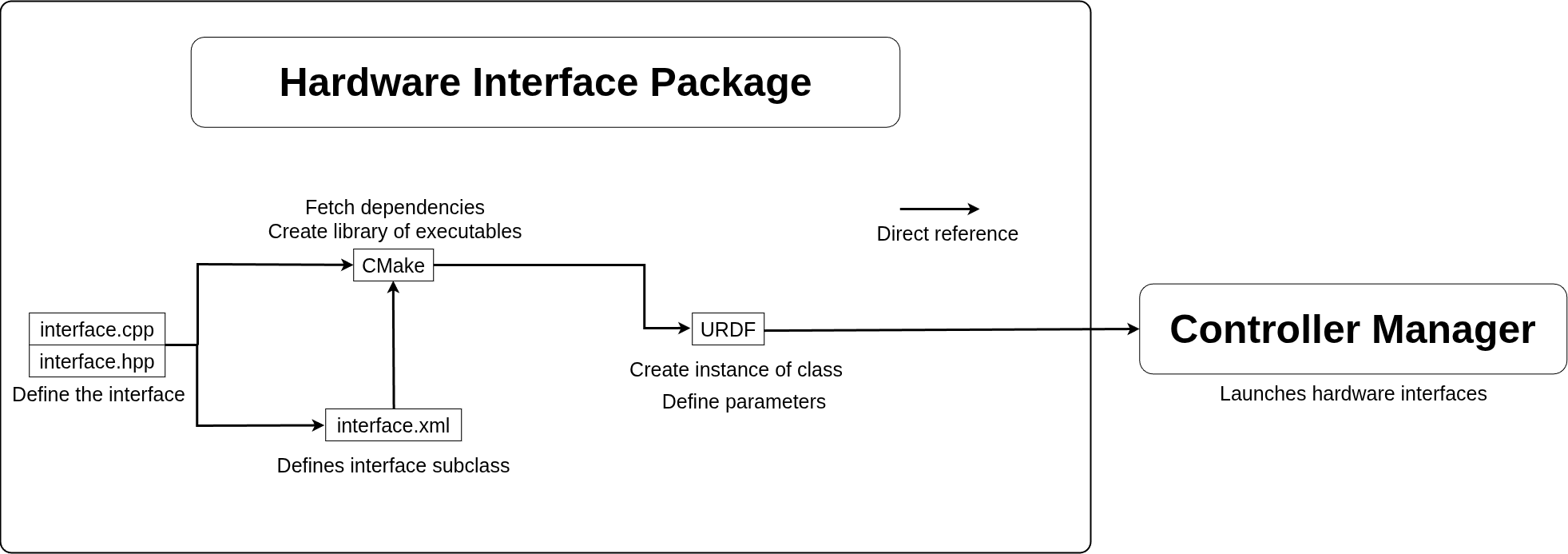
Hardware interfaces may be controlled by controller interfaces through command and state interfaces. Controllers may claim any state interface, but only one controller may claim a control interface at one time. This ensures that a hardware interface does not get conflicting instructions from two separate controllers at one time. In some cases, a controller may also claim command interfaces to ensure that no other controller attempts to change it out of an abundance of caution.
Controller interfaces are configured through a yaml file to pass parameters. For example the SWITCH zeroing control yaml describes which joints the controller should claim to run a zeroing command on. With proper documentation, this simplifies the user’s interaction with a complex controller to the bare essentials. A diagram of these file dependencies is denoted below.
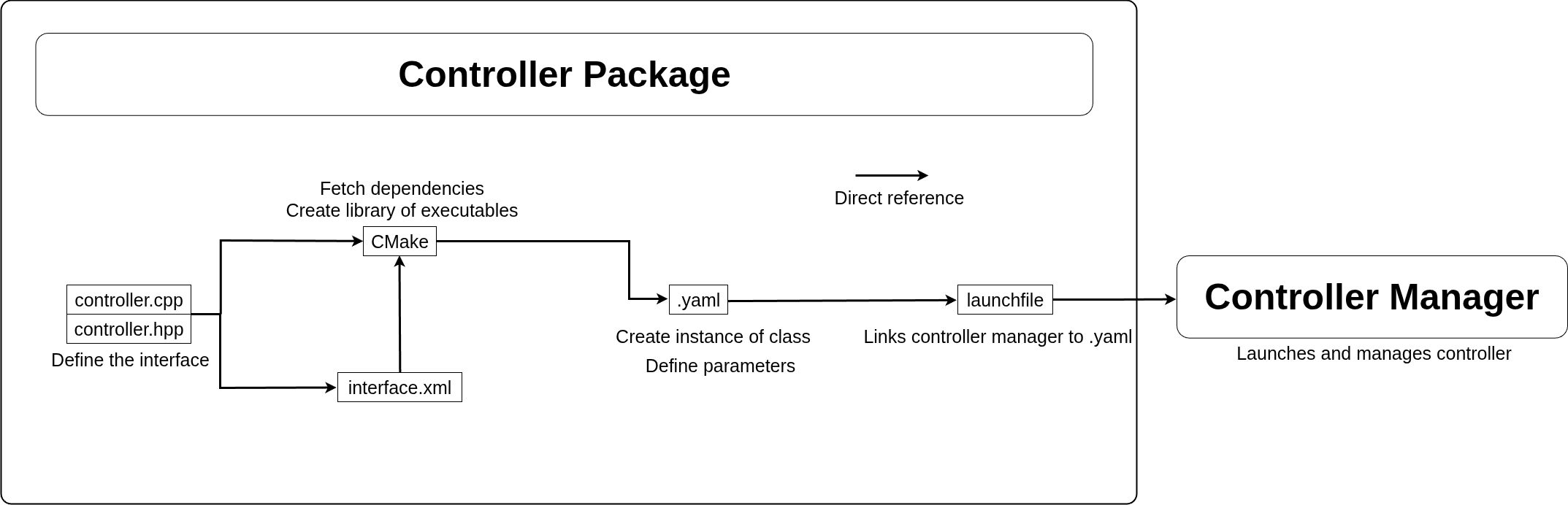
Hardware and controller interfaces are similarly written in C/C++ with dependency management in CMake and definition of the subclass in an .xml. Controller interfaces differ from hardware interfaces where a yaml was used for configuration instead of a URDF and a launch file is necessary to start them instead of the implicit nature of hardware interfaces which are all launched as soon as the controller manager is started.
The controller manager node manages all ROS2 control hardware interfaces and controllers. This includes starting up the interfaces, and calling the interface functions. It also handles all command line inquires of the ROS2 control workspace.